
Panduan Install Mikhmon di Android via Termux
Install Termux PlayStore.
Munculkan CTRL di Termux : Tekan volume up + q
Jalankan command berikut di Termux
- Ganti repo
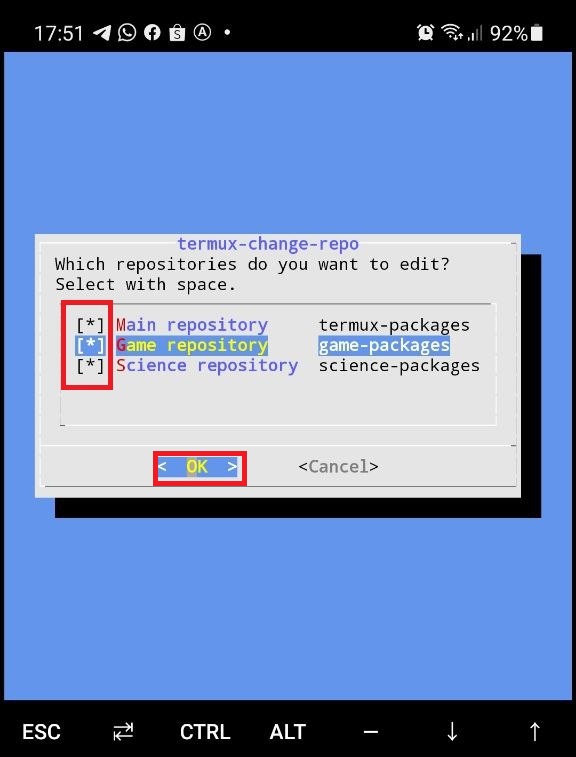
termux-change-repo
- Centang semua repo (main, game dan science)
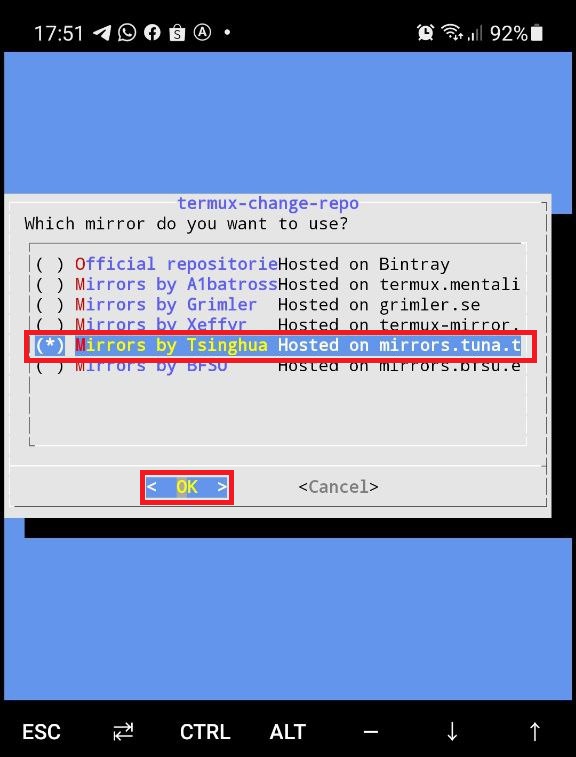
- Pilih repo (Mirrors by Tsinghua)
- Lanjut ke command berikut
pkg update && pkg upgrade -y
pkg install curl
curl -o install-mikhmon https://laksa19.github.io/install-mikhmon.txt
chmod +x install-mikhmon
./install-mikhmon
- Buka url http://127.0.0.1:8080 di browser Anda.
Command
Start Mikhmon : ./start-mikhmon
Update Mikhmon : ./update-mikhmon
Remove Mikhmon : ./remove-mikhmon
Install Mikhmon Android "AWebServer"


0 comments:
Posting Komentar